

To use this free service you must be a Tilton Library patron.
Stream contemporary and classic movies, documentaries, instructional videos, and TV shows on any of your devices. With over 30,000 titles, including the Criterion Collection and Kanopy Kids, the options are endless! Easy searching by subject, genre, or title allows for browsing or planned viewing. Customized closed captioning and foreign language options are available on some titles. Tilton Library patrons get 10 tickets each month; they reset on the 15th of the month. Kanopy Kids has no ticket limit!
Set up your account:
- Go to https://tiltonlibrary.kanopy.com
- Click on “sign up” in the upper right hand corner.
- Set up an account with a username and password.
- Confirm your email address
- Find your library: Tilton Library
- Enter your library card number and PIN*.
- Start viewing!
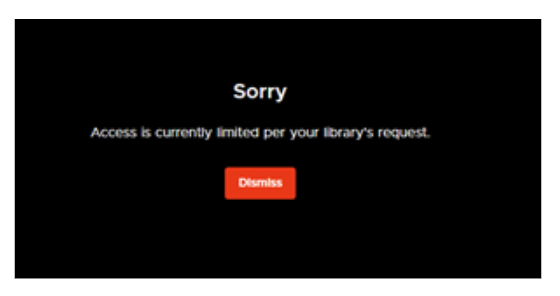
The library pays per checkout for Kanopy and has a monthly cap so we don’t overspend. If you see the message “Streaming is currently limited at your library” or “Access is currently limited per your library’s request,” (see graphic below) that means the library’s monthly cap is reached and you won’t be able to check anything else out, even if you have tickets left, until the first of the next month. In the meantime, you can still watch titles you’ve started with access time remaining. Check back in the next month to start using your tickets again.
*Don’t remember your PIN? The default PIN on your card is the last four digits of your phone number (that the library has on file). If you need help resetting your PIN, just call or stop by the Tilton Library and staff can help.